Learn how to create, sign, renew and manage employee contracts with AAPI. Connect contracts with employee data, Dimona, planning and payroll in one digital workflow.
FAQ - Employee Contract Management Software Belgium | AAPI
How to manage employee contracts with AAPI
Creating an employment contract should not require a chain of Word documents, emails, printed pages, signatures, scans and manual administration.

AAPI contract
AAPI turns contracting into a digital workflow.
With AAPI, employee information can be used to create employment contracts, send them directly to employees, have them signed digitally through AAPI ME and store the documents centrally.
Depending on the contract type, the contract workflow can also connect directly with Dimona and planning.
The result is a much simpler process from employee data to signed employment contract and active employee.
What is Contracting with AAPI?
Contracting in AAPI is the digital process for creating and managing employment contracts as part of your wider workforce management.
Instead of treating the contract as a standalone document, AAPI connects it with other information and processes surrounding the employee.
These include:
- employee personal information
- employment status
- function
- contract dates
- working schedule
- contract hours
- salary information
- Dimona
- digital signatures
- planning
- time registration
- payroll
This makes the employment contract part of one connected HR workflow.
How do you create an employment contract with AAPI?
AAPI uses the employee information already available in the platform as the basis for contract creation.
A typical process looks like this:
- Add or select the employee. Start from the employee record in AAPI.
- Make sure the employee information is complete. Personal information can be entered digitally by the employee through AAPI ME or captured through the available employee-data functionality.
- Select the appropriate contract or employee status. Choose the contract setup that applies to the employee.
- Enter the contract information. Depending on the contract, this can include start and end dates, function, salary information, contract hours and work schedule.
- Save the contract. Once the required information has been entered, the contract is created.
- Send the contract for signature. The contract can be made available automatically to the employee through AAPI ME.
- Complete the connected administration. For contract types where this applies, AAPI connects contract creation with Dimona.
- Use the employee in planning. Once the contract becomes active, the employee can be included in the relevant planning workflow.
This connects contracting directly with the processes that come before and after it.
What employee information is used to create a contract?
A correct contract starts with correct employee information.
AAPI allows employees to provide their own personal details through AAPI ME. Employers can also use supported digital methods to capture employee information.
Once that information is available, it can be used when preparing the employment contract.
This avoids repeatedly transferring the same employee information between separate documents and applications.
The principle is simple:
collect employee information once and use it throughout the employment workflow.
Can employees sign their contract digitally?
Yes.
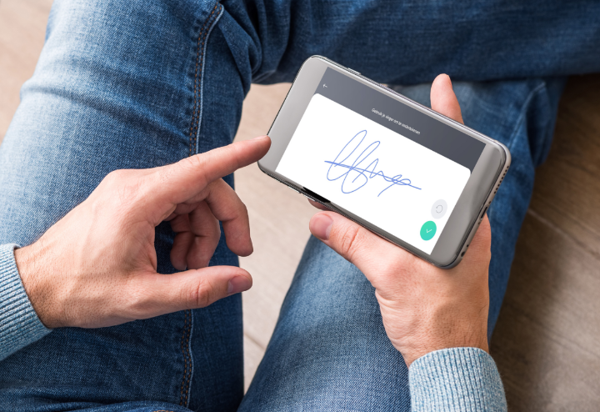
Employees can sign their contracts and documents digitally through the AAPI ME application.
The employer uploads their signature once. AAPI can then use that signature within the contract process, while the employee signs the relevant document through their own app.
This removes the traditional sequence of:
print → sign → scan → email → store
The signed document remains available digitally instead.
Where are employment contracts stored?
AAPI stores contracts and documents digitally.
This gives managers a central location for employee documentation instead of having contracts spread across paper files, email attachments or local folders.
Central digital storage also makes it easier to keep contract information connected with the employee it belongs to.
For employees, relevant documents remain accessible through the AAPI ecosystem.
How does Contracting connect with employee onboarding?
Contracting follows naturally from Staffing.
When a new employee joins the organisation, AAPI can invite them to provide their personal information digitally through AAPI ME.
Once that information has been completed, the employer has the information needed to continue with the employee’s contract setup.
The workflow becomes:
new employee → employee data → employment status → contract → signature
Instead of onboarding and contract administration taking place in separate systems, both processes are connected.
How does Contracting connect with Dimona?
For supported contract types, contract creation and Dimona are closely connected in AAPI.
When a contract is created, AAPI can automatically send the relevant Dimona declaration.
For other types of employment, the Dimona process may be triggered by the publication of a shift.
This means employers do not always have to treat the contract and Dimona as two unrelated administrative actions.
The exact workflow depends on the contract type being used.
When can an employee be planned?
The start date of the contract determines when the contract becomes active.
From the contract start date, the employee can be incorporated into the relevant planning.
This creates a clear relationship between Contracting and Planning:
Contracting determines the employment framework. Planning determines when the employee works within that framework.
That connection is important because the schedule should reflect the employee’s contractual setup.
What contract information can be managed in AAPI?
Depending on the contract type and employee status, AAPI supports information including:
- start date
- end date
- employee status
- function
- seniority
- salary structure
- hourly or monthly salary where applicable
- contract hours
- fixed or variable schedules
- paid or unpaid breaks
The exact fields available depend on the type of employment contract.
This allows contract information to feed into subsequent processes such as planning and payroll.
Can AAPI manage contracts with fixed schedules?
Yes.
When a contract uses a fixed work schedule, the appropriate work schedule can be linked to the contract.
That work schedule determines the relevant contract hours.
The contractual setup can therefore be connected with how the employee will subsequently be scheduled.
Can AAPI manage contracts with variable schedules?
Yes.
For variable work schedules, the contract can define the number of contract hours while the actual schedule is managed through Planning.
This creates a connection between the contractual number of hours and the weekly operational schedule.
AAPI can therefore support organisations where working times change while the contractual employment framework remains defined.
Which employee contract types can AAPI manage?
AAPI supports several employee and contract statuses.
The exact availability depends on the relevant employment situation and applicable joint committee, but AAPI’s current documentation includes contract workflows for employees such as:
- permanent employees
- flexi workers
- students
- casual workers
- certain Article 17 employment statuses
- volunteers
Different statuses can require different contract and Dimona workflows.
The appropriate status should therefore be selected when setting up the employee’s contract.
How do contracts work for permanent employees?
For permanent workers, AAPI supports contracts for a defined or indefinite period.
The contract setup can include relevant information such as the employee’s function, contract period, salary and working schedule.
Once the contract is created, the related Dimona process can be triggered and the employee receives the contract through AAPI ME for digital signature.
How does AAPI manage student contracts?
AAPI contains specific contracting workflows for students.
Depending on the setup, student contracts can work over a defined period or be linked to daily employment and shifts.
For period-based student contracts, the contract runs for the appropriate period and can subsequently be renewed where required.
For workflows based on daily employment, planning and publishing the shift can become part of the contract and Dimona process.
This is an example of how AAPI links Contracting and Planning instead of treating them as separate administrative activities.
How does AAPI manage flexi contracts?
AAPI also supports workflows for flexi workers.
Depending on the setup, the contract framework and daily declarations can be managed through the system.
Contracts that need to continue can also be renewed or extended through the relevant functionality.
This is especially useful for businesses that regularly work with flexible employment arrangements.
What is AAPI's Contracts Wizard?
AAPI’s Contracts Wizard is designed to simplify the renewal of multiple fixed-term contracts.
Instead of extending contracts individually through repetitive manual actions, the Contracts Wizard can help process multiple renewals more efficiently.
The documented workflow can include:
contract renewal → contract sent to AAPI ME → employee signature → Dimona
This is particularly useful for organisations with students, flexi workers or other employees whose contracts need to be renewed regularly.
Can several contracts be renewed at once?
Yes.
The Contracts Wizard was created specifically to simplify the renewal of multiple fixed-term contracts.
This reduces repetitive HR administration where several employees need contract extensions around the same period.
The renewed contracts can then continue through the digital signature and relevant Dimona workflow.
What happens when working hours change?
Contracts and actual working time sometimes need to stay aligned.
AAPI contains specific functionality for situations where student working times differ from the original agreement.
For supported student-contract workflows, AAPI can generate an updated agreement based on the actual start and end time.
The updated document can then be offered to the employee digitally through AAPI ME for signature.
This connects actual operational changes with the necessary contract administration.
How does AAPI help prevent unsigned contracts?
AAPI includes smart notifications around contract administration.
For example, employees and employers can be informed when a contract still needs to be signed.
AAPI also documents functionality that can prevent an employee from clocking in when the required signed contract is not available, when that option is activated.
This brings Contracting together with Tracking.
Instead of discovering afterwards that a required document was missing, the system can surface the issue closer to the moment when the employee starts working.
How does Contracting connect with Planning?
A contract determines the framework within which the employee works.
Planning organises the actual shifts.
Once the relevant contract becomes active, the employee can be scheduled according to that contractual setup.
For certain contract types, publishing a shift also triggers further administration such as a daily Dimona and the corresponding contract.
The workflow can therefore become:
contract → planning → shift → connected administration
How does Contracting connect with Tracking?
Once an employee starts working, AAPI TIME records the employee’s actual working time.
In some workflows, differences between the planned and actual working hours can have consequences for the related employment documentation.
This is why AAPI does not treat contracts, schedules and time tracking as completely separate processes.
They form consecutive steps within one employment workflow.
How does Contracting connect with Payroll?
Contract information provides important input for payroll.
The employee’s function, employment status, salary information, contract hours and working arrangement all form part of the wider payroll process.
AAPI links employee administration, contracts, planning and time registration with payroll processes and social secretariats.
The full workflow becomes:
staffing → contracting → planning → tracking → payroll
Each step uses information established earlier in the process.
Can contracts be managed from a smartphone?
AAPI’s employer application provides access to important workforce-management functionality from a smartphone.
AAPI’s own documentation specifically states that managers can create contracts from the employer application.
Employees use AAPI ME to receive and digitally sign their documents.
This means the contracting workflow does not depend entirely on both parties being behind a computer.
Why use AAPI instead of Word, email and paper contracts?
A Word document can create a contract.
But it does not automatically connect that contract to the rest of the employee workflow.
With separate tools, the process can become:
employee data → Word → PDF → email → signature → scan → storage → Dimona → planning
Each handover creates another administrative action.
AAPI brings those steps closer together:
employee data → contract → digital signature → Dimona → planning
The contract becomes part of the workforce-management process rather than a standalone document.
What is the difference between Staffing, Contracting and Planning?
The three processes answer three different questions.
Staffing: Who works for us?
Contracting: Under which employment agreement do they work?
Planning: When do they work?
AAPI connects all three.
Employee information collected during Staffing can be used to create the contract. The active contract then provides the framework for Planning.
Together they form the beginning of the wider workforce-management flow.
Who is AAPI Contracting designed for?
AAPI Contracting is relevant for organisations that regularly create, sign, renew or manage employee contracts and want those contracts connected with their day-to-day workforce administration.
It is especially relevant in environments using different employee statuses or frequently changing workforces, including hospitality, restaurants, cafés and bars, hotels, events and catering and other operational businesses supported by AAPI.
What are the main advantages of Contracting with AAPI?
AAPI brings contract management into the same environment as the employee and the work they perform.
That means businesses can connect:
employee data → employment status → contract → signature → Dimona → planning → tracking → payroll
Instead of manually moving information between separate systems, the contract becomes part of one digital workflow.
The central principle is simple:
Create the contract once. Connect it with everything that comes next.
Can I create employment contracts with AAPI?
Yes. AAPI allows employers to create employee contracts digitally using the employee and employment information available in the platform.
Can employees sign contracts digitally?
Yes. Contracts can be sent to employees through AAPI ME, where they can sign them digitally.
Does the employer need to sign every contract manually?
The employer can upload their signature into AAPI so it can be used within the digital document workflow.
Does creating a contract trigger Dimona?
For several supported contract types, creating the contract triggers the relevant Dimona declaration automatically. For other workflows, such as certain daily contracts, the Dimona can be triggered by publishing the corresponding shift.
When can I start planning a new employee?
An employee can be included in planning from the date the relevant contract becomes active.
Does AAPI connect contracts with payroll?
Yes. Contract information forms part of AAPI’s connected workflow from employee administration through planning and time registration towards payroll.
From employee data to signed contract. Without the paperwork.
Employment contracts are essential.
The paperwork surrounding them does not have to be.
With AAPI, employee information, contract creation, digital signatures, Dimona and planning become part of one connected process.
Create the contract. Send it digitally. Get it signed. Store it centrally. Connect it with the employee’s next steps.
Manage employee contracts digitally with AAPI.