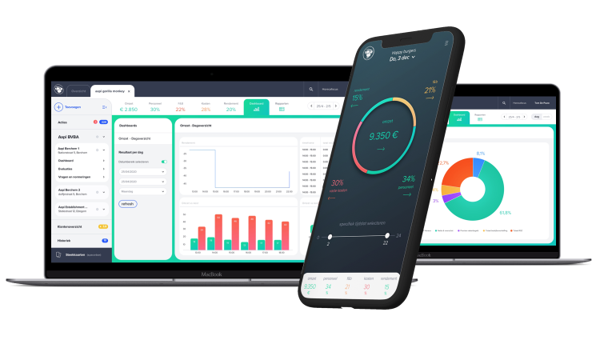
Turn workforce data into useful insights with AAPI. Access reports on employees, contracts and planning and use real-time dashboards to monitor performance and labour costs.
FAQ - Workforce Reporting Software Belgium | AAPI Reports & Dashboards
How to use workforce reporting with AAPI
Managing your workforce generates a lot of information.
 Employees. Contracts. Schedules. Working hours. Payroll. Labour costs.
AAPI brings this information together so it can also be used for reporting and management insights.
Instead of collecting information manually from different spreadsheets and systems, managers can access HR reports and dashboards based on data already available in AAPI.
The result:
workforce data → reporting → better visibility
What is Reporting in AAPI?
AAPI Reporting provides structured information about your workforce and HR administration.
AAPI currently offers reports related to areas including:
- employees
- contracts
- planning and schedules
These reports give managers useful overviews, lists and summaries based on information already available in the AAPI environment.
Reporting therefore becomes a natural extension of the wider workforce process rather than another separate administrative task.
How does AAPI Reporting work?
The principle is straightforward.
Information is created throughout the AAPI workflow:
Staffing → Contracting → Planning → Time Tracking → Payroll
Reporting uses that information to provide a clearer overview of your workforce.
Instead of entering the same data again to create a management report, AAPI can use information already recorded during daily operations.
What can you report on with AAPI?
AAPI’s documented reporting functionality includes HR reports around:
Employees
Access structured information relating to your workforce.
Contracts
Create overviews of employment contracts and related HR information.
Planning
Analyse information connected with employee schedules and workforce planning.
For businesses with more complex workforce operations, these reports can help make HR administration easier to review and manage.
What is the difference between Reports and Dashboards?
AAPI uses both reports and dashboards, but they serve different purposes.
Reports provide structured overviews, lists and summaries of HR information.
Dashboards provide a more visual and real-time view of operational performance.
AAPI dashboards can provide insights into areas including labour costs, workforce performance and operational efficiency.
In simple terms:
Reports help you understand the details.
Dashboards help you understand what is happening now.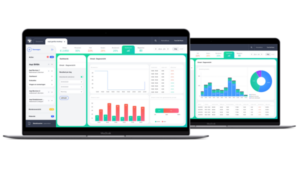
Can AAPI show labour costs?
AAPI connects workforce management with cost information.
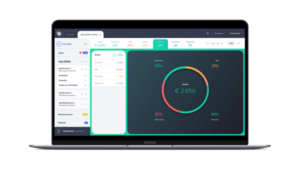
Its dashboards are designed to help managers monitor labour costs and understand how workforce decisions affect operational performance.
This creates a direct relationship between:
Planning → Working hours → Labour costs
For managers, workforce reporting therefore goes beyond simply counting employees or shifts.
Can reporting help improve planning?
Yes.
Because AAPI combines workforce information with planning and dashboards, managers can use historical and current information to better understand how their workforce is being deployed.
This can help answer questions such as:
- How many employees are scheduled?
- Where are workforce resources being used?
- How do schedules relate to labour costs?
- Where might planning need to be adjusted?
Reporting turns daily workforce administration into information that can support future decisions.
Can AAPI reports be used across different locations?
AAPI supports organisations operating across multiple branches or locations.
Because workforce information is managed centrally, managers can maintain greater visibility over employees and operations even when teams work at different sites.
This is particularly useful for businesses with several restaurants, stores, venues or operational locations.
Why use workforce reporting instead of Excel?
Excel can create reports.
The problem is usually collecting the data first.
When workforce information lives in separate systems, creating a report means exporting, combining, checking and updating information manually.
With AAPI, reporting uses information already generated through your workforce processes.
Instead of:
export → combine → clean → calculate → report
the goal becomes:
manage → record → report
That reduces repetitive administration and creates a more direct connection between daily operations and management information.
What reports are available in AAPI?
AAPI provides HR reporting around areas including employees, contracts and planning.
Does AAPI have dashboards?
Yes. AAPI provides dashboards with real-time insights and analytics designed to help managers monitor business and workforce performance.
Does Reporting use data from Planning?
Yes. Planning information forms part of AAPI’s reporting environment.
Can I report on employee contracts?
Yes. Contract information is one of the areas covered by AAPI’s HR reporting functionality.
Can AAPI reporting support multiple locations?
AAPI supports multi-site workforce management, allowing organisations to maintain greater visibility across different locations.
Turn workforce data into useful information
Every shift, contract and working hour creates data.
AAPI helps turn that operational data into useful management information.
Manage your workforce. Capture the data. Understand the results.